
How importing a scanned model works
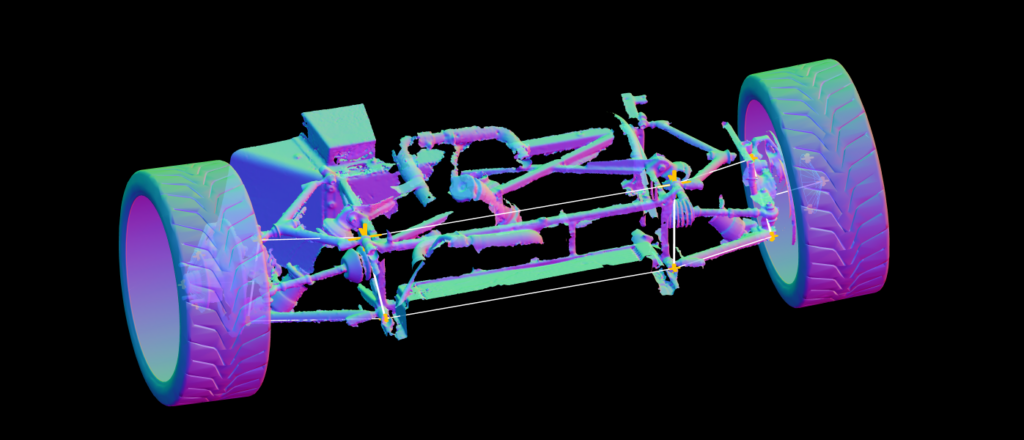
The Scanned Model Importer helps you prepare a suspension model accurately before importing it into the Suspension Geometry Calculator. The model can be a PLY, OBJ or STL file and can originate from a scan, a CAD program, or a photogrammetry app.
Instead of manually entering every dimension, you import the model, map the suspension nodes, click the Import button, and then import the mapped model into the Suspension Geometry Calculator.
Uploading a model, mapping the nodes and saving the model are free features, but you must subscribe to upload it into the Suspension Geometry Calculator for analysis.
Steps
- Open Scanned Model Importer.
- Import a 3D model.
- Map the nodes.
- Click the Import button.
- Import the mapped model into the Suspension Geometry Calculator.
Resources
- Import a 3D scan: https://www.racingaspirations.com/import-a-3d-scan/
- Video: https://www.youtube.com/watch?v=w9IbAeGj3Xw
Feature Matrix
| Guest | Free | Subscribed | AAA | |
|---|---|---|---|---|
LOGIN or SIGNUP to move to next tier | Subscribe to move to next tier | Thank's for your support. | Thank's for your support. | |
| Import a 3d Model |  | |  | |

Access All Areas
You are $7.65 away from achieving access all areas. If you spend a total of $7.65 during a billing period you get full access to ALL calculators including as yet unreleased calculators, and no ads, anywhere. Not the expected values? Refresh